
diados
Extension of the Day

diados

5.0 FREE
  • Screenshot 1

Description

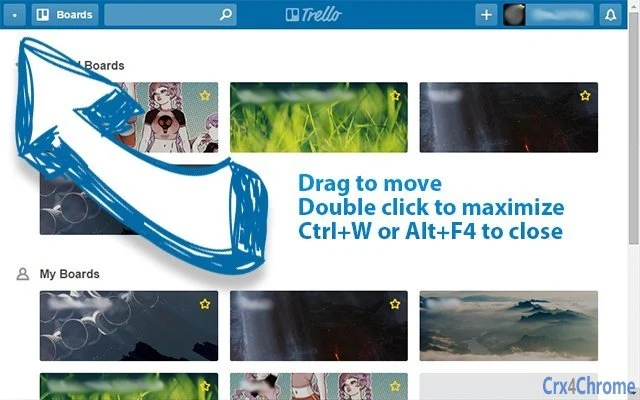
Bullet in left top angle has the same functions like default window header: drag and drop, minimize, maximize, close.To close the app use default hotkeys like Chrome: Ctrl+W or Alt+F4.And to reload the app - Ctrl+R.Switch to the default windowed mode - Ctrl+Shift+F.This app have no logger or grabber your data. It's only external tab without frame. You can check this by looking at the source code - https://github.com/technobulka/trello-chrome-app=== Updates ===# Dec 01, 2015- Ctrl+Shit+F combination toggle window frame- problem with attachments was not solved# Sep 17, 2015- allow download attachments# Sep 13, 2015- Add scrollbar styles for window overlay- Clear scripts# Aug 18, 2015- Create extension for catch Trello link and send it to application - https://chrome.google.com/webstore/detail/ppibnbapebejhnmplokgfhijhfdchhhc- F11 - switch fullscreen mode- Fix lose focuse on Alt+Tab

Guides & Tutorials for Trello External Window App for Chrome

How to install Trello External Window App for Chrome
  1. Click the Preview / Download button above.
  2. Once redirected, accept the terms and click Install.
  3. Wait for the Trello External Window App for Chrome download to finish on your device.
How to use Trello External Window App for Chrome

This software is primarily used for its core features described above. Open the app after installation to explore its capabilities.

User Reviews for Trello External Window App for Chrome 0

    No reviews found

Similar Apps


